Vextrus for the Developer’s MD

What does Vextrus change for the Developer’s MD?

Vextrus gives the Developer’s MD one confirmed Live Model of the building, read from the consultants’ 2D drawings. Any quantity behind a figure on the Project Summary is three clicks from its line on the drawing. A Revision shows what it costs before it is built, each bill is certified against the Elements built, and Guests never see money.
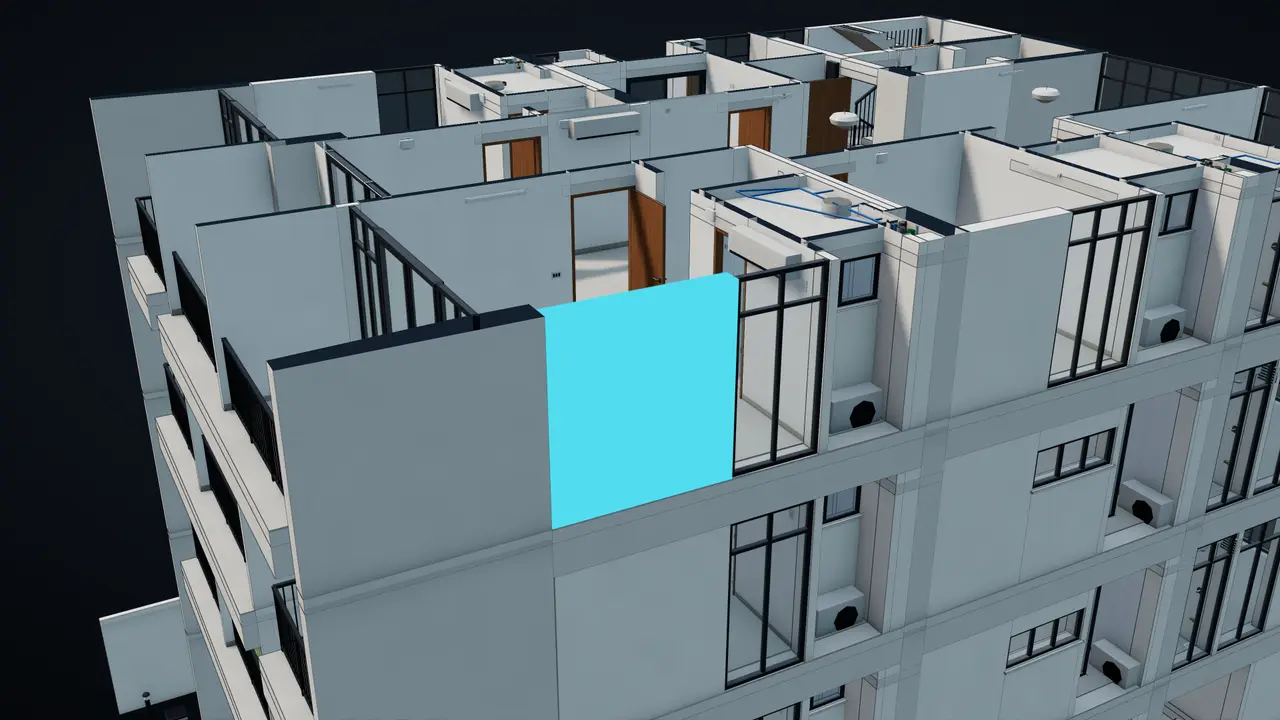
One wall of the Live Model; the camera drops onto the drawing, and the wall’s thread lands on the line it was read from.

Today

  • Everything is disconnected: the company runs on chat messages and Excel.
  • An ERP does not solve the root problem, and it adds to the back-and-forth between site and head office.
  • The building’s data is locked inside its drawings: in 2D CAD files, or even in 3D BIM.
  • The quantities behind your figures are measured on AutoCAD drawings and keyed into Excel by hand.
  • When the consultant re-issues drawings, the latest Revision is the instruction, and every spreadsheet kept apart from the drawings has to catch up.
  • Rebar and cement prices change from one date to the next, and a total priced on older prices falls behind.

fewer than 1 in 3

Fewer than 1 in 3 projects came within 10% of their budget.

Source: KPMG, Global Construction Survey, 2015 · 109 project owners surveyed; self-reported

What changes

  1. Project Summary

    • The Project Summary is your page for each Project: money, programme, risk and the Resolutions waiting for you, every figure opening its Elements and sheets.
    • The Project Summary warns you when the Priced BOQ crosses your Target Cost, even while the Takeoff is still in progress.

    +38% cost / +90% time

    In 92 public projects in Bangladesh: 38% over budget, 90% over time, on average.

    Source: Rahman et al., Bangladesh Journal of Administration and Management, 2020 (pub. 2022) · public-sector infrastructure, completed FY2016-17

    Project Summary

    A synthetic example Project

    The Priced BOQ against the Target Cost

    Drawn: the measured part of the Priced BOQ, then the open part, an allowance until its Takeoff Step is confirmed; together they cross the Target Cost, and the page warns.

    • Measured: from confirmed Elements
    • Open: an allowance per sft of Gross Floor Area, marked, until its Takeoff Step is confirmed

    Target Cost warning: the Priced BOQ crosses the Target Cost

    Today

    • Read from the drawing: the share of the Live Model read from the drawing, drawn as about three fifths
    • Float to the next bank milestone: the time in hand before the next bank milestone, drawn as a bar ending at the milestone's level

    Resolution inbox

    • Slab panel S1 at 0'-6" on the new issue: accept its cost, +28.40 cft of RCCSign · Confirm · Send back · Delegate
    • Rebar 20 mm, a quote 5 % over the Market Price: outside your Standing AuthoritySign · Confirm · Send back · Delegate
    • Running Account bill: certify, up to what is builtSign · Confirm · Send back · Delegate

    Cost by trade

    • Concrete
    • Rebar work
    • Brickwork
    • Formwork
    • Flooring
    • Plaster
    • Doors & windows
    • Services

    Cost by floor

    • Roof
    • 6th floor
    • 5th floor
    • 4th floor
    • 3rd floor
    • 2nd floor
    • 1st floor
    • Ground
    • Foundation

    Board Pack

    Frozen as issued

  2. Trace

    • Any number you are shown is three clicks from the drawing: how it was measured, that Element in 3D, its own line on the sheet. A total opens all its Measurement Lines, each traced the same way. Nobody has to take anyone’s word.
  3. Live Model

    • Draw a box round any part of the Building in the Live Model, and it tells you what is inside: one model, not five spreadsheets.
  4. Revision

    • When the drawings change, you see what changed in your building and what it costs before anyone builds it, split into quantity effect and price effect. Nothing is priced until your QS confirms, and you pick the baseline.
  5. Priced BOQ

    • Every taka in the Priced BOQ shows how it was built, and when a price moves, it is changed once and the whole Priced BOQ follows.
    • The Issued Estimate you take to the board is frozen with its Priced BOQ, Material Schedule, Market Prices and Rule Set, by a Signature.
  6. Collaboration

    • Questions are asked on the Element they are about. Site and head office look at the same column, and what was agreed is signed and written down, so nobody asks who said yes.
  7. Rebar

    • Your structural engineer signs the bar bending schedule; a later edit marks it Stale, and the schedule says so before anyone buys.
  8. Materials

    • Orders inside your Standing Authority go to the lowest landed cost; orders outside it wait for your Signature.
  9. Cost (5D)

    • Each Running Account bill’s claim is checked against the Elements that support it, and the bill is certified only up to what the Building shows, with a person’s Signature.
  10. Roles and views

    • Your bank, your land-owner and your buyers can watch the building without ever seeing what it costs you.
    • A Vextrus Engineer works in your data by your time-bound invitation, and every opening is recorded where you see it.

The MD’s job

The MD buys Vextrus for the Developer. In Vextrus the MD reads the Project Summary, sets the Target Cost, picks the baseline a Revision is compared against, signs Resolutions and any Purchase Order outside the Standing Authority, certifies bills, as the QS does, and takes the Issued Estimate to the board. The MD never edits the Takeoff.

Read what decides a building’s cost: its own quantities, and the prices paid for them.

Questions

Is Vextrus an ERP for real-estate Developers?

No. Your ERP keeps the record of your money. Vextrus keeps the record of your building. It is one confirmed Live Model, read from your consultants’ 2D drawings, that the Priced BOQ, Rebar, buying, the site and cost all work from, every quantity traced to its line on the drawing, for the building’s whole life.

How do I know what my building costs before it is built?

From its own drawings. In Vextrus the QS confirms every quantity measured from the drawings, the Priced BOQ prices each one from its Rate Analysis at your Market Prices, and the Estimate is issued with a Signature. The Project Summary warns you when the Priced BOQ crosses your Target Cost, even while the Takeoff is in progress.

Can I check a figure without calling my QS?

Yes. Any number you are shown in Vextrus is three clicks from the drawing. One click shows how it was measured, its measurement sheet; two shows that Element in the Live Model; three lights its own line on the sheet it was read from. A total opens all its Measurement Lines, and each one opens its own line.

Who sees my costs in Vextrus?

In your team, money shows module by module: you and the QS see it in full; Sales sees quantities only in the Priced BOQ. Guests, such as your Bank engineer, your Land-owner and your Buyers, never see money, in any view, drawer, tooltip or export. Every opening of your data by a Vextrus Engineer is recorded where you see it.

Who runs the Takeoff: my QS, or Vextrus?

Either. Your own QS runs the Takeoff on Vextrus, or you send us the drawing set and Vextrus’s own QSs run it on the same Takeoff Workbench, held to the same safeguards and measured the same way. The service is for Developers without a QS team: a named Vextrus QS signs the Issued Estimate, and you or your engineer accept it.

What it costs

Two ways to start, priced per sft of the Building’s Gross Floor Area, + VAT. Introductory rates, 26 October 2026.

  • Done for you: ৳12 per sft. ৳8 for every sft above 25,000; minimum ৳1.2 lakh a Building. Our QSs run the Takeoff.
  • Your QS on Vextrus: ৳6 per sft. ৳4 for every sft above 25,000; minimum ৳60,000 a Building. Your QS runs it.

After you send a drawing set

You send the whole Drawing Set as your consultants issue it, with your Market Prices. We answer with a fixed quote for your Building, by its Gross Floor Area, at our published rates, and open your own space on Vextrus.

Send us a drawing set. See every number traced.

Drawn once. Every number traced.